Check What Version of Revive Adserver (OpenX) You Are Running
Updated: January 10, 2024
The version number of Revive Adserver (formerly OpenX) installed on your website is listed in several places:
-
In the root directory of the Revive Adserver installation the RELEASE_NOTES.txt file lists the version number:
Release Notes: Revive Adserver 3.2.0
====================================
-
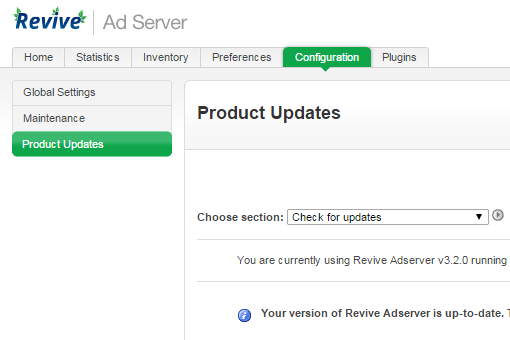
In the administration interface of Revive Adserver you can see what version you are running, and if there is a new version available, on the Product Updates page located in the Configuration section:
-
In the source code of login page of the Revive Adserver admin the version number is listed in the following line:
<meta name="generator" content="OpenX v2.8.11 - http://www.openx.org">
or<meta name="generator" content="Revive Adserver v3.2.0 - http://www.revive-adserver.com">
If you have an outdated Revive Adserver installation in need of an update, we can handle that upgrade for you.
Current Version of Revive Adserver (OpenX)
5.5.1